Introduction
The GPU computing landscape has long been dominated by NVIDIA’s CUDA ecosystem, creating a significant barrier for developers and researchers who want to leverage AMD’s competitive graphics hardware. Enter ZLUDA, an innovative open-source project that bridges this gap by enabling unmodified CUDA applications to run on AMD GPUs with remarkable performance.
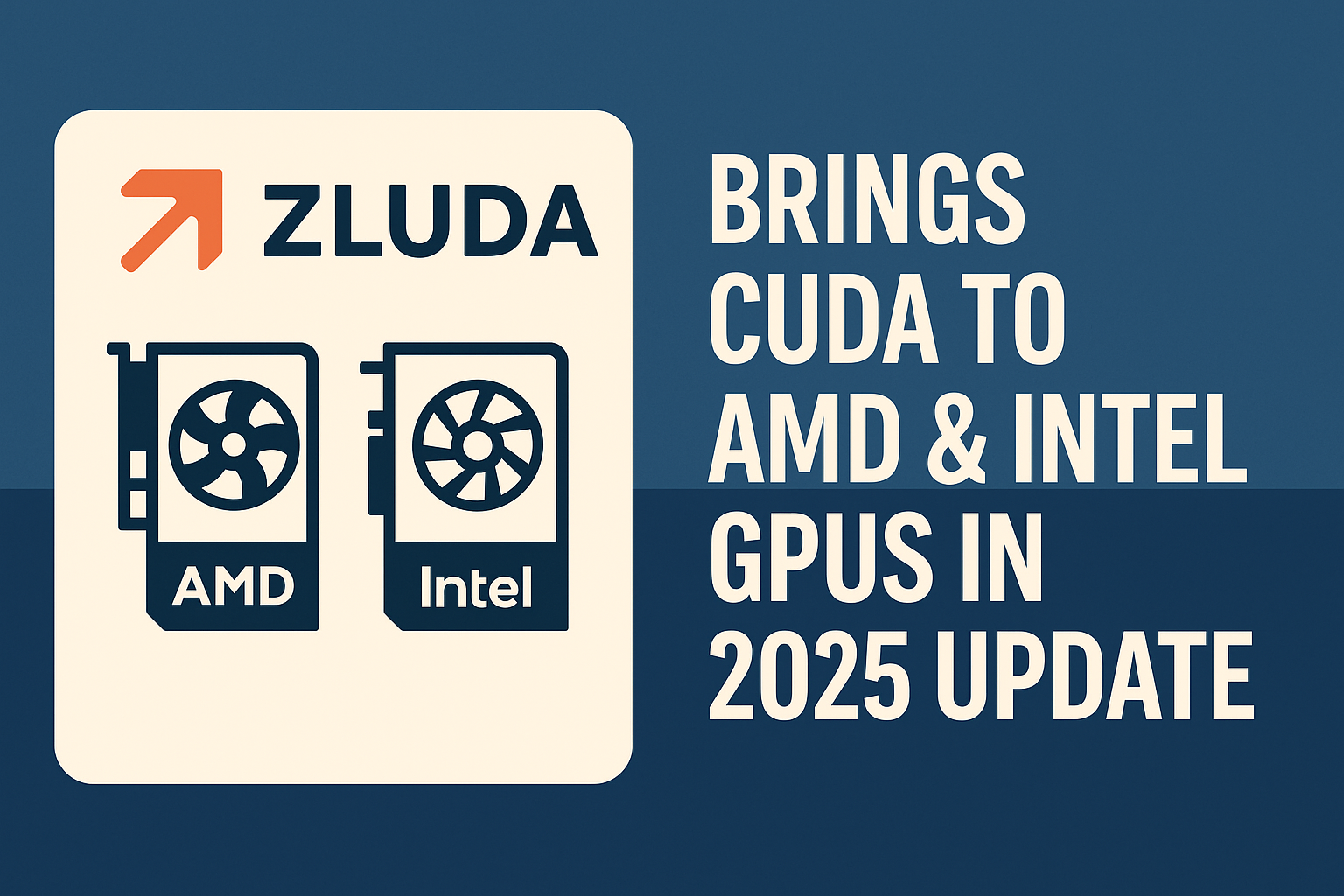
ZLUDA is back in 2025 with a major update. This powerful open-source CUDA compatibility layer now enables seamless execution of CUDA workloads on AMD ROCm and Intel GPU runtimes, without modifying the original codebase. With expanded LLM support, better logging, and PhysX compatibility, ZLUDA might just be the open-source revolution the GPU world needs.
In this comprehensive guide, we’ll explore ZLUDA’s architecture, installation process, performance capabilities, and its potential impact on the future of GPU computing. Whether you’re a developer looking to expand your hardware options or a researcher seeking cost-effective GPU solutions, understanding ZLUDA’s capabilities is essential for making informed decisions about your computing infrastructure.
What Is ZLUDA?
The CUDA Monopoly Problem
CUDA, or Compute Unified Device Architecture, is Nvidia’s proprietary parallel computing platform and programming model that has been the backbone of GPU computing since 2007. Its widespread adoption has created an ecosystem where most modern AI tools, machine learning libraries, and high-performance computing workloads are deeply dependent on CUDA technology.
Most AI tools—from PyTorch to TensorFlow—rely on CUDA for GPU acceleration. Unfortunately, CUDA is proprietary and only runs on NVIDIA GPUs. This means users of AMD, Intel, or Huawei GPUs are left out, despite the availability of capable, cost-effective hardware.
This dependency has created a significant market barrier. People all over the world are desperate for cheaper and more powerful GPUs, but CUDA represents a major roadblock. Even if AMD, Intel, or other manufacturers release better, more affordable GPUs, they often aren’t viable options because CUDA-dependent software simply won’t run on non-NVIDIA hardware.
Breaking Hardware Barriers: ZLUDA Enables CUDA Without NVIDIA
ZLUDA stands as an ambitious open-source project aimed at breaking Nvidia’s monopoly on GPU computing. This translation layer for CUDA represents a form of technological freedom that could revolutionize the GPU market. ZLUDA allows CUDA applications to run on non-NVIDIA GPUs like those from AMD, Intel, Huawei, or any other manufacturer.
The project’s approach is elegantly simple yet technically sophisticated: it tricks CUDA-based programs into thinking they’re running on an Nvidia GPU when they’re running on completely different hardware. This means no need to rewrite codebases, recompile models, or abandon CUDA-based libraries that developers have spent years perfecting.
The implications are profound. If successful, ZLUDA could reduce dependency on Nvidia hardware, enable CUDA software to run on cheaper or more powerful, efficient GPUs, and help academic and open-source developers break free from licensing and hardware constraints. Most importantly, it could boost competition and innovation in the GPU industry.
How Does Zluda Work?
The Translation Process
ZLUDA works by intercepting and translating CUDA API calls into equivalent functions that can be executed by non-NVIDIA hardware platforms, particularly AMD’s ROCm or Intel GPU runtime. The software acts as a sophisticated translation layer that sits between CUDA applications and the underlying non-NVIDIA GPU driver.
The translation process begins when a CUDA application attempts to access GPU resources. ZLUDA intercepts these calls and maps them to the appropriate backend implementation, whether it’s kernel launches, memory operations, or calls to libraries like cuBLAS or cuDNN. This allows unmodified CUDA binaries to run on hardware that was previously unsupported.
The beauty of this approach lies in its transparency. Applications continue to make standard CUDA API calls, completely unaware that they’re running on non-NVIDIA hardware. This seamless translation ensures compatibility while maintaining the performance characteristics that make CUDA applications valuable.
Zluda Performance Optimization Strategies
One of ZLUDA’s most impressive achievements is its ability to maintain near-native performance despite the translation overhead. Phoronix identified better performance in some instances compared to native CUDA implementations, demonstrating that the translation layer can sometimes optimize operations more effectively than the original implementation.
The performance optimization strategies employed by ZLUDA include intelligent memory management, optimized kernel scheduling, and careful attention to data transfer patterns between CPU and GPU memory. These optimizations ensure that the compatibility layer doesn’t become a bottleneck in GPU-accelerated applications.
ZLUDA solves this by acting as a CUDA-to-other-GPU translation layer.
ZLUDA’s Translation Architecture Explained
ZLUDA works by intercepting CUDA calls from compiled binaries and mapping them to alternate GPU runtimes like AMD ROCm or Intel Level Zero. This includes:
- Memory operations
- Kernel launches
- Library functions (cuBLAS, cuDNN)
- Debug/logging calls
This allows unmodified CUDA binaries to execute on non-NVIDIA hardware without recompilation or rewriting your ML code.
ZLUDA vs CUDA: Translation, Not Emulation
When comparing ZLUDA to native CUDA implementations, performance characteristics vary significantly depending on the specific workload and hardware configuration. ZLUDA has demonstrated remarkable capability in maintaining near-native performance across many applications, with some benchmarks showing performance that matches or occasionally exceeds native CUDA implementations.
- CUDA is NVIDIA’s proprietary platform for GPU acceleration—fast, reliable, but locked to NVIDIA hardware.
- ZLUDA intercepts CUDA API calls (kernel launches, memory ops, libraries) and redirects them to AMD/Intel runtimes. This compatibility layer enables developers to run CUDA binaries without recompilation.
- Think of ZLUDA as a “trickster” that convinces CUDA apps they’re on NVIDIA hardware, without any code rewrite.
The performance advantage of ZLUDA becomes particularly evident when considering cost-per-performance ratios. While native CUDA requires expensive Nvidia hardware, ZLUDA enables users to achieve similar performance levels using more affordable AMD GPUs. This economic advantage makes ZLUDA an attractive option for budget-conscious developers and organizations.
ZLUDA vs ROCm: Layered vs Native
ROCm (Radeon Open Compute) is AMD’s official open-source platform for GPU computing, designed to compete directly with CUDA. While ROCm provides native support for AMD GPUs, it requires applications to be specifically written or ported to use ROCm APIs. This creates a barrier for existing CUDA applications.
- ROCm is AMD’s native GPU framework, designed for high performance, but requires HIP porting or recompilation.
- ZLUDA sits on top of ROCm: it wraps CUDA binaries and uses ROCm’s backend to execute them.
- On Windows, ZLUDA is often the only way to run CUDA-based tools on AMD GPUs.
- Reddit users note that ROCm on Linux often outperforms Windows ZLUDA setups, especially with tools like ComfyUI.
- In short:
- Developers seeking native code integration should use ROCm + HIP.
- End-users wanting minimal fuss should prefer ZLUDA, especially on Windows.
Community quote:
“amd gpus don’t require zluda, if you’re on linux you’re actually better of with torch‑rocm. zluda is likely best option if you’re on windows.”
How to Install ZLUDA on Windows & Linux
Windows Installation (for AMD GPUs)
- Install the latest AMD Adrenalin drivers with ROCm support.
- Download the ZLUDA release ZIP from GitHub (e.g.,
vosen/ZLUDA). - Extract and copy
nvcuda.dll, andnvml.dllinto your CUDA application folder. - Optionally, use
zluda_with.exethe launcher:
zluda_with.exe -- my_cuda_app.exe [args]6. Run the CUDA app—e.g., Stable Diffusion.
Note: Some users struggle with missing DLLs or version mismatches
Linux Installation (for AMD/Intel GPUs)
- Install ROCm and backend dependencies.
- Build or download ZLUDA, ensuring it contains
libcuda.so. - Prepend library path and run:
LD_LIBRARY_PATH=/path/to/zluda ./my_cuda_app [args]4. Monitor logs for kernel mapping and errors.
This method works with any existing CUDA binary; no HIP conversion is needed.
Official Github: Click Here
Major Features in the 2025 ZLUDA Update
Active Developer Team and Roadmap Revival
After a dormant 2024, ZLUDA now has two full-time developers. This is already showing results in:
- Better ROCm compatibility
- LLM runtime integration
- Regular GitHub commits and issue tracking
- Roadmap clarity and transparency
ZLUDA Adds LLM.c Runtime for AI Models
LLM.c is a lightweight CUDA runtime layer introduced by ZLUDA that enables inference and training of large language models (LLMs) like:
- LLaMA
- Mistral
- GPT-J / Falcon variants
With LLM.c, AI developers can now run models on AMD or Intel GPUs without rewriting CUDA-heavy frameworks. This significantly lowers inference costs for AI startups and academic institutions
Support for PhysX and Legacy CUDA Games
PhysX, NVIDIA’s physics engine used in many older games, is now partially supported by ZLUDA. This means:
- Classic CUDA-based games may soon run on AMD/Intel
- Game developers can test compatibility without rewriting game engines
- Better support for modding and legacy performance improvements
Enhanced Debugging and Logging
One challenge of CUDA translation is understanding which calls fail and why. ZLUDA now includes:
- Detailed logging of memory/kernel operations
- A visual breakdown of calls to libraries like cuBLAS
- Debug messages with backend translation trace
- Improved logs for AMD ROCm runtime integration
This is vital for developers building large-scale, CUDA-heavy workloads like AI pipelines or video processing systems.
Challenges and Limitations
Current Development Constraints
While ZLUDA represents a significant breakthrough in GPU compatibility, it’s important to acknowledge its current limitations. This version of ZLUDA is under heavy development and right now only supports Geekbench. ZLUDA probably will not work with your application just yet.
The project’s active development status means that application compatibility is continuously improving, but users should expect some limitations with cutting-edge or highly specialized CUDA applications. The development team prioritizes compatibility improvements based on community feedback and usage patterns.
Recent Technical Improvements
ZLUDA’s latest updates include significant improvements in logging and debugging capabilities. Accurately logging how applications communicate with CUDA is essential for compatibility, and the new logging system provides more detailed information than ever before, including insights into how performance libraries like cuBLAS or cuDNN operate under the hood.
The development team has also tackled important compatibility issues with AMD’s ROCm HIP runtime compiler. Changes in the underlying Application Binary Interface (ABI) had caused ZLUDA to call incorrect functions, but these bugs have been fixed. More importantly, ZLUDA is now better adapted to handle future changes in ROCm, ensuring long-term stability and compatibility.
Conclusion
ZLUDA represents more than just a compatibility layer; it embodies the principles of technological freedom and market competition that drive innovation forward. By enabling CUDA applications to run on non-Nvidia GPUs with near-native performance, ZLUDA challenges one of the most entrenched monopolies in modern computing.
The project’s remarkable journey from near abandonment to renewed vigor demonstrates the resilience of open-source innovation. With two full-time developers now working on expanding LLM support, gaming compatibility, and technical improvements, ZLUDA has evolved from an experimental project into a serious contender for breaking the CUDA monopoly.
The implications of ZLUDA’s success extend far beyond technical compatibility. In a world where GPU computing increasingly determines technological progress, the ability to choose hardware based on performance and cost rather than software lock-in could democratize access to AI development, scientific computing, and creative applications. This democratization is particularly crucial for smaller organizations, academic institutions, and developers in emerging markets who have been priced out of the Nvidia ecosystem.
As ZLUDA continues to mature and gain support, it represents hope for a more competitive and innovative GPU market. The project’s success could finally give users what they’ve been desperately seeking: the choice to use different hardware, the freedom to escape vendor lock-in, and most importantly, the opportunity to innovate on their terms without worrying about artificial constraints or inflated costs.
Whether ZLUDA becomes the definitive solution or inspires other projects to join the fight against GPU monopolies, its impact on the industry is already being felt. For anyone interested in the future of computing, ZLUDA’s development deserves attention as a potential catalyst for the next generation of GPU innovation and accessibility.
🚀 Want to know more about my journey in AI, tech tutorials, and digital exploration? Learn more about me here 👤 and follow my latest insights on Medium 📝 for in-depth articles, and feel free to connect with me on LinkedIn 🔗.

Md Monsur Ali is a tech writer and researcher specializing in AI, LLMs, and automation. He shares tutorials, reviews, and real-world insights on cutting-edge technology to help developers and tech enthusiasts stay ahead.