Introduction
The landscape of artificial intelligence is experiencing a paradigm shift in how we interact with Large Language Models (LLMs). Traditional prompt engineering, often characterized by fragile string manipulation and inconsistent formatting, is giving way to a more structured, maintainable approach. Microsoft’s POML (Prompt Orchestration Markup Language) is a novel markup language designed to bring structure, maintainability, and versatility to advanced prompt engineering for Large Language Models.
When combined with Ollama’s powerful local LLM execution capabilities, POML creates a robust ecosystem for developers seeking privacy, control, and consistency in their AI applications. This comprehensive guide explores how these technologies work together to revolutionize prompt engineering from an ad-hoc process into a structured, scalable discipline.
What Is POML? Understanding Microsoft’s Prompt Revolution
POML originally came from a research idea that Prompt should have a view layer like the traditional MVC architecture in the frontend system. Microsoft Research developed POML to address critical pain points that have plagued prompt engineering:
- Lack of Structure: Traditional prompts are often unorganized strings
- Poor Modularity: Difficulty in reusing prompt components across projects
- Data Integration Challenges: Complex integration of external data sources
- Formatting Sensitivity: LLM performance degradation due to formatting inconsistencies
- Version Control Issues: Difficulty tracking prompt changes and collaboration
POML Core Architecture: HTML Meets AI
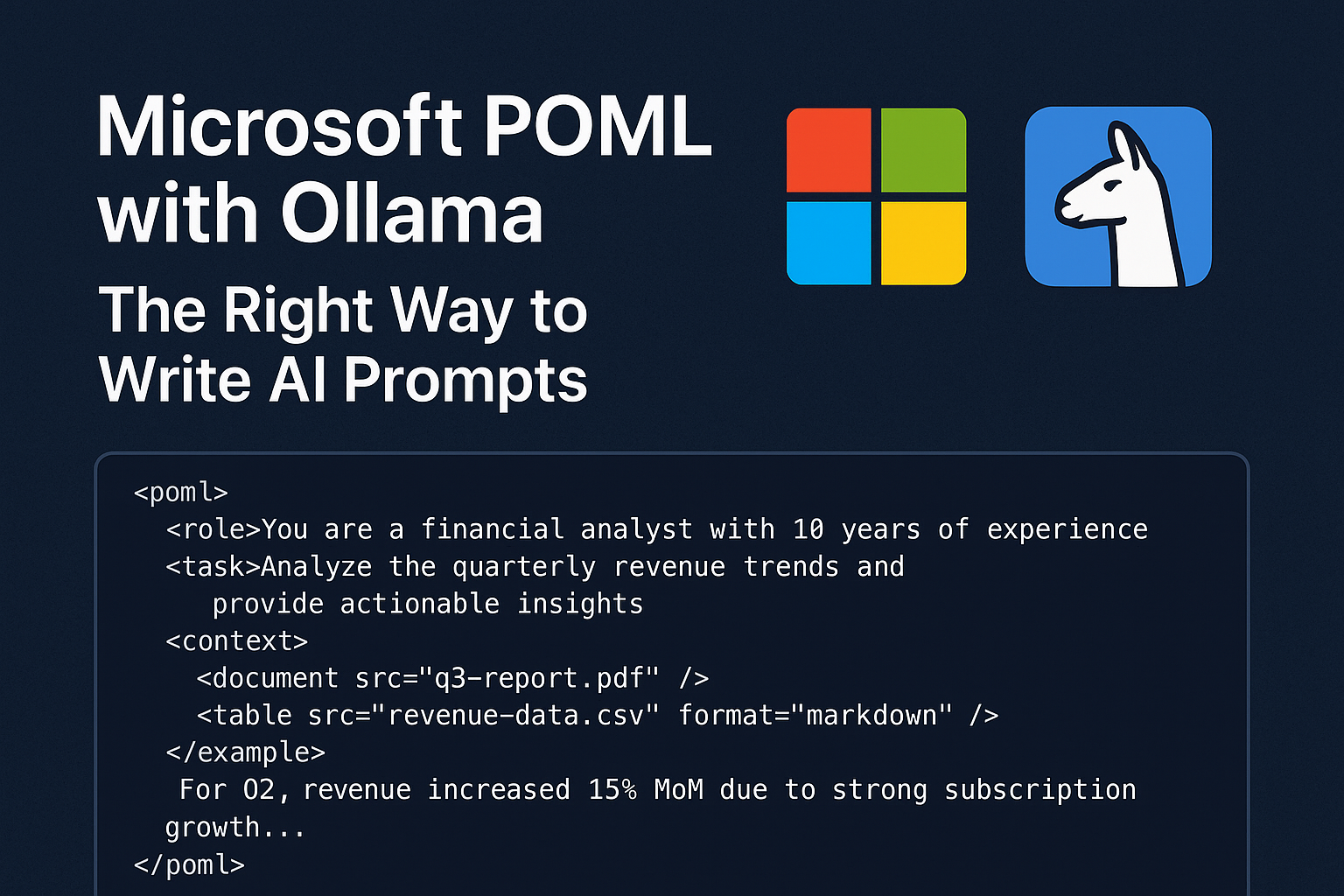
POML introduces an HTML-like syntax that makes prompts both human-readable and machine-parseable. The language incorporates semantic tags that clearly define prompt components:
<role>You are a financial analyst with 10 years of experience</role>
<task>Analyze the quarterly revenue trends and provide actionable insights</task>
<context>
  <document src="q3-report.pdf" />
  <table src="revenue-data.csv" format="markdown" />
</context>
<example>
  For Q2, revenue increased 15% MoM due to strong subscription growth...
</example>
This structured approach transforms prompts from fragile strings into maintainable, component-based systems.
POML Core Features That Transform AI Prompt Design
1. HTML-Like Semantic Components
POML’s semantic tag system provides clear structure and meaning:
<role>– Defines the AI’s persona and expertise level<task>– Specifies the exact action to perform<context>– Provides background information and data<example>– Offers few-shot learning examples<constraints>– Sets boundaries and limitations<output>– Defines expected response format
2. Advanced Data Integration Capabilities
POML makes it simple to integrate different types of data—like text files, tables, or even images—directly into your prompts using tags like <document> or <table>. This capability is revolutionary for enterprise applications:
<context>
  <document src="legal-contract.pdf" parser="pdf" />
  <table src="pricing-data.xlsx" sheet="Q3" format="markdown" />
  <image src="market-chart.png" description="Market trends visualization" />
</context>
3. CSS-Like Styling System
One of POML’s most innovative features is its styling system, allowing developers to separate content from presentation:
<stylesheet>
{
  "output": { "format": "json", "style": "concise" },
  ".urgent": { "priority": "high", "response_time": "immediate" },
  "table": { "syntax": "markdown", "max_rows": 10 }
}
</stylesheet>
This separation ensures consistent formatting across different contexts while maintaining the same underlying logic.
4. Built-in Templating Engine
POML includes a powerful templating system with variables, loops, and conditionals:
<let name="customerName" value="{{user.name}}" />
<let name="urgencyLevel" value="{{request.priority}}" />

<greeting>Hello {{customerName}}!</greeting>

<instructions if="urgencyLevel == 'high'">
  Please prioritize this request and respond within 2 hours.
</instructions>

<data-points for="metric in salesMetrics">
  <point>{{metric.name}}: {{metric.value}}%</point>
</data-points>
5. Rich Developer Tooling
Microsoft supports POML with:
- Visual Studio Code Extension: Syntax highlighting, auto-complete, hover docs, real-time preview, and inline diagnostics.
- SDKs for TypeScript and Python: Easy integration into existing AI pipelines and frameworks.
- Tool & Schema Support: Define function calls and structured outputs
These tools make POML not just a language, but a full developer experience for prompt engineering.
Why Ollama Is the Perfect POML Companion?
Local LLM Execution Advantages
Ollama provides several critical advantages for POML-powered applications:
Privacy and Security
- All processing occurs locally
- No data transmission to external APIs
- Complete control over sensitive information
- GDPR and compliance-friendly
Performance Benefits
- Reduced latency through local processing
- No internet dependency
- Consistent response times
- Scalable without API rate limits
Cost Effectiveness
- No per-token pricing
- One-time setup cost
- Unlimited experimentation
- Budget-predictable deployments
Supported Models and Capabilities
Ollama supports a wide range of models perfect for POML integration:
- Llama 3.1 (8B, 70B) – Excellent general-purpose reasoning
- Mistral (7B, 8x7B) – Strong multilingual capabilities
- Phi-3 (3.8B) – Efficient for resource-constrained environments
- Gemma (2B, 7B) – Google’s efficient instruction-following models
- Qwen (1.8B, 4B, 7B, 14B) – Strong coding and mathematical reasoning
Implementing POML with Ollama: Complete Workflow
Environment Setup and Installation
1: Install Ollama
# macOS/Linux
curl -fsSL https://ollama.com/install.sh | sh

# Windows
# Download from ollama.com
2: Pull Required Models
ollama pull llama3.1:8b
ollama pull mistral:7b
ollama pull phi3:mini
3: Install POML SDK
pip install poml
# or
npm install poml-js
Creating Your First POML Template
Create a file named financial-analyzer.poml:
<poml>
  <role>Senior Financial Analyst specializing in quarterly reporting</role>

  <task>
    Analyze the provided financial data and generate insights for executive review.
    {% if urgency_level == "high" %}
    Focus on critical metrics and immediate action items.
    {% endif %}
  </task>

  <context>
    <document src="{{report_path}}" parser="pdf" />
    <table src="{{data_path}}" format="markdown" />
  </context>

  <constraints>
    - Limit analysis to 500 words
    - Include specific percentage changes
    - Highlight risks and opportunities
    - Use bullet points for key findings
  </constraints>

  <output-format>
    Return analysis in JSON format with sections:
    - executive_summary
    - key_metrics
    - risk_factors
    - recommendations
  </output-format>

  <stylesheet>
  {
    "output": { "format": "json", "verbosity": "medium" },
    ".executive": { "tone": "formal", "detail_level": "high" }
  }
  </stylesheet>
</poml>
Python Integration Script
import poml
import ollama
import json
from pathlib import Path

class POMLOllamaProcessor:
    def __init__(self, model_name="llama3.1:8b"):
        self.model_name = model_name

    def process_poml_file(self, poml_path, context_data):
        # Load and render POML template
        template = poml.load(poml_path)
        rendered_prompt = template.render(**context_data)

        # Send to Ollama
        response = ollama.generate(
            model=self.model_name,
            prompt=rendered_prompt,
            format="json",  # Ensure structured output
            options={
                "temperature": 0.7,
                "top_p": 0.9,
                "max_tokens": 2000
            }
        )

        return json.loads(response['response'])

    def batch_process(self, poml_path, data_list):
        results = []
        for data in data_list:
            result = self.process_poml_file(poml_path, data)
            results.append(result)
        return results

# Usage example
processor = POMLOllamaProcessor()

context = {
    "report_path": "assets/q3-financial-report.pdf",
    "data_path": "data/revenue-metrics.csv",
    "urgency_level": "high",
    "analyst_name": "Sarah Johnson"
}

analysis = processor.process_poml_file(
    "templates/financial-analyzer.poml",
    context
)

print(json.dumps(analysis, indent=2))
Advanced Use Case: Multi-Stage Document Processing
Create a sophisticated document processing pipeline:
<!-- document-processor.poml -->
<poml>
  <stage name="extraction">
    <role>Document Parser</role>
    <task>Extract key information from the document</task>
    <document src="{{input_doc}}" />
    <output-schema>{{extraction_schema}}</output-schema>
  </stage>

  <stage name="analysis" depends="extraction">
    <role>Business Analyst</role>
    <task>Analyze extracted data for insights</task>
    <input>{{stages.extraction.output}}</input>
    <context>
      <table src="{{reference_data}}" />
    </context>
  </stage>

  <stage name="recommendation" depends="analysis">
    <role>Strategic Advisor</role>
    <task>Generate actionable recommendations</task>
    <input>{{stages.analysis.output}}</input>
    <constraints>
      - Maximum 5 recommendations
      - Include implementation timeline
      - Specify resource requirements
    </constraints>
  </stage>
</poml>
Industry Applications and Use Cases
Enterprise Document Intelligence
POML with Ollama excels in enterprise scenarios requiring document processing:
- Legal Contract Analysis: Extract terms, identify risks, suggest modifications
- Financial Report Processing: Analyze quarterly reports, generate summaries
- Compliance Monitoring: Check documents against regulatory requirements
- Technical Documentation: Convert complex manuals into actionable guides
Healthcare and Research
Privacy-sensitive applications benefit significantly from local processing:
- Medical Record Analysis: Extract insights while maintaining HIPAA compliance
- Research Paper Summarization: Process scientific literature locally
- Clinical Decision Support: Analyze patient data without external transmission
- Drug Interaction Checking: Local pharmaceutical database queries
Software Development and DevOps
Developers can create powerful local AI assistants:
- Code Review Automation: Analyze pull requests for quality and security
- Documentation Generation: Create API docs from code comments
- Bug Report Triage: Categorize and prioritize issues automatically
- Performance Analysis: Interpret system metrics and logs
POML Performance Optimization Strategies
Model Selection Guidelines
Speed-Critical Applications:
- Phi-3 Mini (3.8B) – Fastest inference, good for simple tasks
- Qwen 1.8B – Excellent speed-to-quality ratio
Quality-Critical Applications:
- Llama 3.1 8B – Best balance of quality and speed
- Mistral 7B – Strong reasoning capabilities
Resource-Constrained Environments:
- Gemma 2B – Minimal resource requirements
- Quantized models (Q4, Q8) – Reduced memory usage
Hardware Optimization
CPU Optimization:
# Configure Ollama for CPU optimization
ollama_options = {
    "num_thread": 8,  # Match CPU cores
    "num_gpu": 0,     # Force CPU usage
    "low_vram": True
}
GPU Acceleration:
# For NVIDIA GPUs
ollama_options = {
    "num_gpu": 1,
    "gpu_memory_fraction": 0.8,
    "use_mmap": True
}
Caching and Performance
Implement intelligent caching for repeated operations:
import hashlib
import pickle
from functools import lru_cache

class CachedPOMLProcessor:
    def __init__(self, cache_size=100):
        self.cache = {}
        self.cache_size = cache_size

    def _generate_cache_key(self, poml_content, context):
        combined = f"{poml_content}{json.dumps(context, sort_keys=True)}"
        return hashlib.md5(combined.encode()).hexdigest()

    def process_with_cache(self, poml_path, context):
        with open(poml_path, 'r') as f:
            poml_content = f.read()

        cache_key = self._generate_cache_key(poml_content, context)

        if cache_key in self.cache:
            return self.cache[cache_key]

        result = self.process_poml_file(poml_path, context)

        # Maintain cache size
        if len(self.cache) >= self.cache_size:
            oldest_key = next(iter(self.cache))
            del self.cache[oldest_key]

        self.cache[cache_key] = result
        return result
Troubleshooting Common Issues
POML Syntax Errors
Problem: Template rendering failures. Solution: Use VS Code POML extension for real-time validation
Problem: Variable interpolation error. Solution: Validate context data types match template expectations
Ollama Integration Issues
Problem: Model not found errors. Solution:
bash
ollama list  # Check available models
ollama pull model-name # Download missing modelsProblem: JSON parsing failures. Solution: Implement robust error handling:
def safe_json_parse(response_text):
    try:
        return json.loads(response_text)
    except json.JSONDecodeError:
        # Attempt to extract JSON from response
        import re
        json_match = re.search(r'\{.*\}', response_text, re.DOTALL)
        if json_match:
            return json.loads(json_match.group())
        return {"error": "Failed to parse JSON", "raw_response": response_text}
Future Developments and Roadmap
Upcoming POML Features
Microsoft continues to enhance POML with new features focused on scalability and maintainability. Expected developments include:
- Enhanced Schema Validation: Stricter type checking for variables and outputs
- Multi-Modal Support: Better integration with vision and audio models
- Workflow Orchestration: Complex multi-agent coordination capabilities
- Performance Monitoring: Built-in metrics and optimization suggestions
Ollama Evolution
The Ollama ecosystem continues expanding with:
- More Model Support: Regular addition of state-of-the-art models
- Performance Improvements: Optimized inference engines and memory management
- API Enhancements: Better integration capabilities and monitoring tools
- Cloud Integration: Hybrid local/cloud processing options
Best Practices for Production Deployment
Security Considerations
Template Security:
- Validate all user inputs before template rendering
- Implement sandboxing for untrusted templates
- Regular security audits of POML templates
Data Protection:
- Encrypt sensitive data at rest
- Implement access controls for model endpoints
- Log and monitor all AI interactions
Monitoring and Observability
Implement comprehensive monitoring:
import logging
import time
from datetime import datetime

class POMLMonitor:
    def __init__(self, log_file="poml_metrics.log"):
        self.logger = logging.getLogger("POML")
        handler = logging.FileHandler(log_file)
        handler.setFormatter(logging.Formatter(
            '%(asctime)s - %(name)s - %(levelname)s - %(message)s'
        ))
        self.logger.addHandler(handler)
        self.logger.setLevel(logging.INFO)

    def track_execution(self, template_name, execution_time, token_count):
        self.logger.info(f"Template: {template_name}, "
                        f"Duration: {execution_time:.2f}s, "
                        f"Tokens: {token_count}")

    def track_error(self, template_name, error_type, error_message):
        self.logger.error(f"Template: {template_name}, "
                         f"Error: {error_type}, "
                         f"Message: {error_message}")
More Details: Official Documentation
Conclusion
The convergence of Microsoft’s POML and Ollama represents a watershed moment in AI prompt engineering. By combining POML’s structured, maintainable approach with Ollama’s powerful local execution capabilities, developers gain unprecedented control over their AI applications while maintaining privacy, performance, and cost-effectiveness.
POML brings much-needed structure, scalability, and maintainability to prompt engineering for AI developers, transforming what was once an art form into a rigorous engineering discipline. The integration with Ollama ensures that this structured approach doesn’t come at the cost of performance or privacy, making it ideal for enterprise applications and privacy-sensitive use cases.
As AI continues to evolve, the importance of structured, maintainable prompt engineering will only grow. Organizations that adopt POML and Ollama today position themselves at the forefront of the next generation of AI applications – applications that are not just powerful, but reliable, scalable, and secure.
The future of AI isn’t just about better models; it’s about better ways to interact with them. POML and Ollama together provide that better way, offering a glimpse into a future where AI applications are as maintainable and robust as traditional software systems.
Whether you’re building enterprise AI solutions, developing privacy-focused applications, or simply seeking more control over your AI workflows, the combination of POML and Ollama offers a compelling path forward. The tools are available, the documentation is comprehensive, and the community is growing. The question isn’t whether to adopt this approach, but how quickly you can integrate it into your AI development workflow.

Md Monsur Ali is a tech writer and researcher specializing in AI, LLMs, and automation. He shares tutorials, reviews, and real-world insights on cutting-edge technology to help developers and tech enthusiasts stay ahead.