Introduction
Google Magenta RealTime is a cutting-edge AI music generation model developed by Google DeepMind, designed to generate high-quality music in real time. As of mid-2025, it stands out as the first fully open-source real-time AI music generator, giving musicians, developers, and researchers unprecedented freedom to explore, deploy, and even fine-tune the model.
Unlike earlier closed systems like Lyria RealTime or MusicFX, Magenta RealTime is available with open weights, source code, and an Apache-2.0 license. Magenta RealTime opens a new chapter in live music synthesis by generating low-latency, high-fidelity audio on the fly from user-defined prompts.
What is Magenta RealTime?
Magenta RealTime uses 800 million parameters in an autoregressive transformer model to generate live music and enable interactive performances. Google’s renowned Magenta Project developed this open-source model as the culmination of years of research in AI-powered music creation and real-time audio processing.
This model stands out as the open-weights cousin of Lyria RealTime, the proprietary technology that powers Music FX DJ and Google’s real-time music API. Magenta RealTime excites users because it offers broad accessibility—it runs efficiently on free-tier Google Colab TPUs, and developers are working to enable it to run locally on consumer hardware.
Key Technical Specifications of Magenta RealTime
Magenta RealTime’s impressive technical foundation includes training on approximately 190,000 hours of stock music from multiple sources, primarily focusing on instrumental compositions. The model utilizes advanced audio processing through SpectroStream technology, enabling high-fidelity stereo audio generation at 48kHz sampling rates.
The system operates through a sophisticated block autoregression architecture adapted from the successful MusicLM framework. This approach allows the model to generate continuous music streams in sequential chunks, with each segment conditioned on previous audio output and style embeddings to produce the next audio segment.
What Makes Magenta RealTime Unique?
Magenta RealTime is not just another generative model—it’s an engineering achievement optimized for:
- 🎹 Real-time audio output (not just token prediction)
- 🧑🎤 Interactive music improvisation
- 📱 On-device applications with efficient processing
- 💡 Transparent research tooling for open innovation
Architecture and Components
SpectroStream Codec
Magenta RealTime uses SpectroStream, a novel audio codec that discretizes 48kHz stereo audio into compressed, sequential token streams. This enables efficient and stable audio decoding while preserving high fidelity.
- Processes audio into multiple token streams
- Designed for continuous (streaming) generation
- Supports clean overlap/crossfade to minimize artifacts
MusicCoCa (Contrastive Audio & Text Embedding)
To condition generation on “style,” Magenta RealTime leverages MusicCoCa, a model that maps both text descriptions and audio clips into a shared embedding space. For example:
- A prompt like
"epic orchestral score"Or a sample of jazz piano helps steer the generation - The model fuses embeddings with audio context to define the generation style.
This makes the model adaptable to changing musical themes mid-performance.
Autoregressive Transformer Decoder
The model core uses an 800M-parameter autoregressive transformer that predicts tokens sequentially. It generates 2-second audio segments at a time using overlapping windows for context. Key features:
- Supports continuous looping of musical phrases
- Low latency (~1.25s for 2s generation on Colab TPUs)
- High temporal consistency with audio and style prompt
How Real-Time Generation Works
- Input Conditioning:
- MusicCoCa embeds text or audio prompts.
- The model uses 10 seconds of past audio context to maintain continuity.
- Token Generation:
- The transformer generates a new sequence of audio tokens for 2 seconds of music
- Decoding & Playback:
- SpectroStream decodes tokens into high-quality audio
- The model crossfades audio segments to eliminate transitions.
- Repeat in Loop:
- The system loops this process continuously, enabling live use
This looped autoregression is what enables a fluid, adaptive musical experience in real time.
How to run with Magenta RealTime Locally
Magenta RealTime offers a straightforward installation and usage flow, whether you’re a developer, musician, or researcher. Here’s how you can get started using different hardware backends.
1. Installation Options
You can install Magenta RealTime directly from GitHub using pip with the appropriate extras for your hardware:
# With GPU support
pip install 'git+https://github.com/magenta/magenta-realtime#egg=magenta_rt[gpu]'

# With TPU support
pip install 'git+https://github.com/magenta/magenta-realtime#egg=magenta_rt[tpu]'

# CPU-only installation
pip install 'git+https://github.com/magenta/magenta-realtime'
Tip: While CPU is supported, real-time inference is best experienced on a GPU or TPU.
2. Generating Audio with Magenta RealTime
Here’s a Python snippet to generate 10 seconds of music with a “funk” style using the core API:
from magenta_rt import audio, system
from IPython.display import display, Audio

num_seconds = 10
mrt = system.MagentaRT()
style = system.embed_style('funk')

chunks = []
state = None
for i in range(round(num_seconds / mrt.config.chunk_length)):
    state, chunk = mrt.generate_chunk(state=state, style=style)
    chunks.append(chunk)

generated = audio.concatenate(chunks, crossfade_time=mrt.crossfade_length)
display(Audio(generated.samples.swapaxes(0, 1), rate=mrt.sample_rate))
3. Mixing Text & Audio Styles with MusicCoCa
You can blend textual prompts and real audio files to generate more nuanced music styles. This feature is powered by the MusicCoCa model:
from magenta_rt import audio, musiccoca
import numpy as np

style_model = musiccoca.MusicCoCa()
my_audio = audio.Waveform.from_file('myjam.mp3')

weighted_styles = [
  (2.0, my_audio),
  (1.0, 'heavy metal'),
]

weights = np.array([w for w, _ in weighted_styles])
styles = style_model.embed([s for _, s in weighted_styles])
weights_norm = weights / weights.sum()
blended = (weights_norm[:, np.newaxis] * styles).mean(axis=0)
This blended embedding can then be used to condition the generation model.
4. Tokenizing and Reconstructing Audio with SpectroStream
The SpectroStream codec enables real-time audio compression and reconstruction. Here’s how to encode/decode audio:
from magenta_rt import audio, spectrostream

codec = spectrostream.SpectroStream()
my_audio = audio.Waveform.from_file('jam.mp3')

my_tokens = codec.encode(my_audio)
my_audio_reconstruction = codec.decode(my_tokens)
This is useful for custom dataset creation or embedding analysis.
5. Run Unit and Integration Tests
To validate your local environment or modify components, you can run tests provided in the GitHub repo:
# Unit tests
pip install -e .[test]
pytest .

# Integration tests
python test/musiccoca_end2end_test.py
python test/spectrostream_end2end_test.py
python test/magenta_rt_end2end_test.py
How to run Magenta RealTime with Official Colab Demo (Recommended)
If you’re not ready to set up locally, the fastest way to try Magenta RT is via their Colab notebook, which runs in real time on TPUs.
1. Install dependencies
# Clone library
!git clone https://github.com/magenta/magenta-realtime.git

# Temporary workaround until MusicCoCa supported by TF stable.
_all_tf = 'tensorflow tf-nightly tensorflow-cpu tf-nightly-cpu tensorflow-tpu tf-nightly-tpu tensorflow-hub tf-hub-nightly tensorflow-text tensorflow-text-nightly'
_nightly_tf = 'tf-nightly tensorflow-text-nightly tf-hub-nightly'

# Install library and dependencies
# If running on TPU (recommended, runs on free tier Colab TPUs):
!pip install -e magenta-realtime/[tpu] && pip uninstall -y {_all_tf} && pip install {_nightly_tf}
2. Restart the session and run to initialize the model
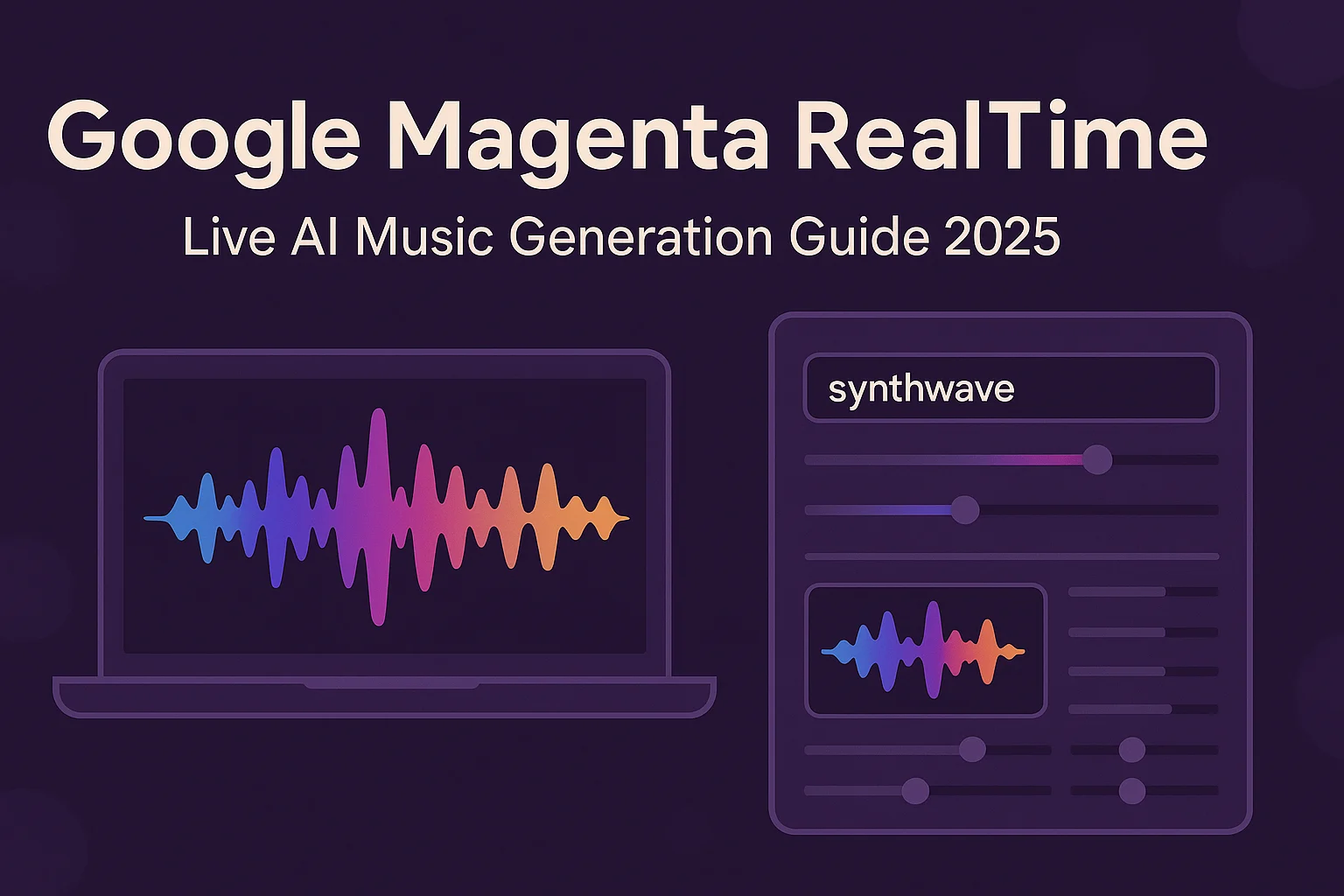
To generate live music with Magenta RealTime, run the Colab cell and click Start. Type text prompts like “synthwave” or “flamenco guitar” to shape the music style. Adjust the sliders to control each prompt’s influence.
Tweak generation with:
- Temperature for creativity (low = stable, high = experimental),
- Top-k for variety,
- Guidance to control prompt adherence,
- Buffer size to reduce audio dropouts.
from magenta_rt import system

# Fetch checkpoints and initialize model (may take up to 5 minutes)
MRT = system.MagentaRT(
    tag="large", device="tpu:v2-8", skip_cache=True, lazy=False
)
3. Run to start the demo
import concurrent.futures
import functools
from typing import Any, Sequence

import IPython.display as ipd
import ipywidgets as ipw
import numpy as np

from magenta_rt import system
from magenta_rt.colab import utils
from magenta_rt.colab import widgets

buffering_amount_seconds = 0 # @param {"type":"slider","min":0,"max":4,"step":0.1}
buffering_amount_samples = int(np.ceil(buffering_amount_seconds * 48000))


class AudioFade:
  """Handles the cross fade between audio chunks.

  Args:
    chunk_size: Number of audio samples per predicted frame (current
      SpectroStream models produces 25Hz frames corresponding to 1920 audio
      samples at 48kHz)
    num_chunks: Number of audio chunks to fade between.
    stereo: Whether the predicted audio is stereo or mono.
  """

  def __init__(self, chunk_size: int, num_chunks: int, stereo: bool):
    fade_size = chunk_size * num_chunks
    self.fade_size = fade_size
    self.num_chunks = num_chunks

    self.previous_chunk = np.zeros(fade_size)
    self.ramp = np.sin(np.linspace(0, np.pi / 2, fade_size)) ** 2

    if stereo:
      self.previous_chunk = self.previous_chunk[:, np.newaxis]
      self.ramp = self.ramp[:, np.newaxis]

  def reset(self):
    self.previous_chunk = np.zeros_like(self.previous_chunk)

  def __call__(self, chunk: np.ndarray) -> np.ndarray:
    chunk[: self.fade_size] *= self.ramp
    chunk[: self.fade_size] += self.previous_chunk
    self.previous_chunk = chunk[-self.fade_size :] * np.flip(self.ramp)
    return chunk[: -self.fade_size]


class MagentaRTStreamer:
  """Audio streamer class.

  This class holds a pretrained Magenta RT model, a cross fade state, a
  generation state and an asynchronous executor to handle the embedding of text
  prompt without interrupting the audio thread.

  Args:
    system: A MagentaRTBase instance.
  """

  def __init__(self, system: system.MagentaRTBase):
    self.system = system
    self.fade = AudioFade(chunk_size=1920, num_chunks=1, stereo=True)
    self.state = None
    self.executor = concurrent.futures.ThreadPoolExecutor()
    self.audio_streamer = None

  @functools.cache
  def embed_style(self, style: str):
    return self.executor.submit(self.system.embed_style, style)

  def get_style_embedding(
      self, params: dict[str, Any], force_wait: bool = False
  ):
    num_prompts = sum(map(lambda s: "prompt" in s, params.keys()))

    weighted_embedding = np.zeros((768,), dtype=np.float32)
    total_weight = 0.0

    for i in range(num_prompts):
      weight = params[f"prompt_{i}"]
      if not weight:
        continue
      text = params[f"style_{i}"]
      embedding = self.embed_style(text)

      if force_wait:
        embedding.result()

      if embedding.done():
        weighted_embedding += embedding.result() * weight
        total_weight += weight

    if total_weight:
      weighted_embedding /= total_weight

    return weighted_embedding

  def __call__(self, inputs):
    del inputs
    ui_params = utils.Parameters.get_values()

    chunk, self.state = self.system.generate_chunk(
        state=self.state,
        style=self.get_style_embedding(ui_params),
        seed=None,
        **ui_params,
    )
    chunk = self.fade(chunk.samples)
    return chunk

  def preflight(self):
    ui_params = utils.Parameters.get_values()
    self.get_style_embedding(ui_params, force_wait=False)
    self.get_style_embedding(ui_params, force_wait=True)
    self.audio_streamer.reset_ring_buffer()

  def reset(self):
    self.state = None
    self.fade.reset()
    if self.audio_streamer is not None:
      self.audio_streamer.reset_ring_buffer()

  def start(self):
    self.audio_streamer = utils.AudioStreamer(
        self,
        rate=48000,
        buffer_size=48000 * 2,
        warmup=True,
        num_output_channels=2,
        additional_buffered_samples=buffering_amount_samples,
        start_streaming_callback=self.preflight,
    )
    self.reset()


# BUILD UI


def build_prompt_ui(default_prompts: Sequence[str]):
  """Add interactive prompt widgets and register them."""
  prompts = []

  for p in default_prompts:
    prompts.append(widgets.Prompt())
    prompts[-1].text.value = p

  prompts[0].slider.value = 1.0

  utils.Parameters.register_ui_elements(
      display=False,
      **{f"prompt_{i}": p.slider for i, p in enumerate(prompts)},
      **{f"style_{i}": p.text for i, p in enumerate(prompts)},
  )
  return [p.get_widget() for p in prompts]


def build_sampling_option_ui():
  """Add interactive sampling option widgets and register them."""
  options = {
      "temperature": ipw.FloatSlider(
          min=0.0,
          max=4.0,
          step=0.01,
          value=1.3,
          description="temperature",
      ),
      "topk": ipw.IntSlider(
          min=0,
          max=1024,
          step=1,
          value=40,
          description="topk",
      ),
      "guidance_weight": ipw.FloatSlider(
          min=0.0,
          max=10.0,
          step=0.01,
          value=5.0,
          description="guidance",
      ),
  }

  utils.Parameters.register_ui_elements(display=False, **options)

  return list(options.values())


utils.Parameters.reset()


try:
  MRT
except NameError:
  print("Magenta RT not initialized. Please run the cell above.")


streamer = MagentaRTStreamer(MRT)


def _reset_state(*args, **kwargs):
  del args, kwargs
  streamer.reset()


reset_button = ipw.Button(description="reset")
reset_button.on_click(_reset_state)


# Building interactive UI
ipd.display(
    ipw.VBox([
        widgets.area(
            "sampling options",
            *build_sampling_option_ui(),
            reset_button,
        ),
        widgets.area(
            "prompts",
            *build_prompt_ui([
                "synthwave",
                "flamenco guitar",
                "",
                "",
            ]),
        ),
    ])
)

streamer.start()
The quickest way to start using Magenta RT is by trying our official Colab Demo—it runs in real time on free TPUs!
Training Data and Limitations
Dataset
- Trained on over 190,000 hours of instrumental music
- Focuses heavily on Western music and non-vocal compositions
- Emphasis on royalty-free and stock music to avoid copyright risks
Limitations
- Limited vocal support: The Model doesn’t excel at generating vocals or lyrics
- Bias towards Western styles: Lacks representation of non-Western instruments and rhythms
- Latency trade-off: Generation is real time, but style change takes ~2 seconds to reflect
- Fixed 10s context window: Not ideal for longer-form narrative music
These are acknowledged constraints in the current research preview.
Official blog: Click Here
GitHub: Click Here
Conclusion
Magenta RealTime represents a breakthrough in live, interactive AI music generation, combining cutting-edge research (SpectroStream, MusicCoCa) with practical, low-latency implementation. By releasing both code and weights openly, Google DeepMind has lowered the barrier for music AI innovation.
While still a research preview, it opens doors to real-time music accompaniment, AI-assisted performance, and generative soundscapes—all without relying on closed APIs. As future versions promise longer context windows, vocal capabilities, and fine-tuning tools, Magenta RealTime is positioned to become the creative co-composer of the future.
🚀 Want to know more about my journey in AI, tech tutorials, and digital exploration? Learn more about me here 👤 and follow my latest insights on Medium 📝 for in-depth articles, and feel free to connect with me on LinkedIn 🔗.

Md Monsur Ali is a tech writer and researcher specializing in AI, LLMs, and automation. He shares tutorials, reviews, and real-world insights on cutting-edge technology to help developers and tech enthusiasts stay ahead.